Showing posts with label ubuntumanual. Show all posts

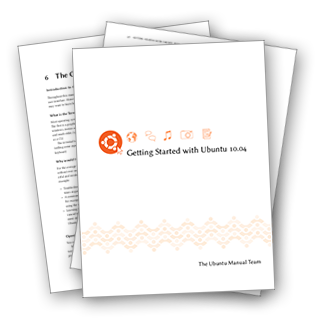
Getting Started with Ubuntu 10.04 Second Edition released

View Comments

Just a quick heads up, we released the Second Edition of the Ubuntu Manual for Lucid yesterday to coincide with the point release for 10.04 LTS. Not much has changed from the first edition, apart from over 300 bug fixes thanks to the competition we ran a couple of months ago. It also has a snazzy new simple filesystem diagram that I made which everyone is welcome to use.

All the First Edition links and versions on Lulu have been replaced with the Second Edition. We're pretty pleased with the content now, it's almost 100% error-free thanks to all the help we've had from our huge team and temporary contributors who have come and gone. Please check out the team plans for Maverick and beyond, I think you'll be impressed. Without further ado, grab the latest edition while it's hot!


You can follow our team progress on twitter, facebook or our own dedicated planet.

Continue reading

Revving up the Ubuntu Manual Project for Maverick

View Comments


Things have been a bit quiet in manual-land for the last couple of months. We managed to get a couple of translated copies released, but apart from that, the IRC channel and mailing list has resembled a midwestern movie set in the build up to a sweet-as gunfight. All we're missing is a bit of tumbleweed.

So what's been going on?!

Well, I've been busy with University. I had a couple of weeks off in July that were spent working on my new startup company, Ohso, co-founded with my good friend Joey. A lot of the time I was designing the new OMG! Ubuntu!, OMG! SUSE! and Ubuntu Gamer sites which are currently under development and slated for rollout early next month.

Kevin Godby, our Lead TeXnician has been busy with a new job and writing his thesis, Ryan Macnish has been working on the Ubuntu Developer's Manual with Rick Spencer, Luke Jennings is settling into his engineering apprenticeship, Vishnoo has been working on papercuts and (actually literally) saving lives in real life, Bryan Behrenshausen has been busy with University and Thorsten Wilms has been... well... being Thorsten Wilms. A few other core members have also been busy with University, school or work as well which sort of reduced the active team member count down to zero.

But never fear! Thanks to the initiative of Josh Holland (dutchie) we had a meeting yesterday (at 4am my time, grumble, grumble) which had a great turnout and the ball was once again set in motion: this time the target is Getting Started with Ubuntu 10.10.

I made a graphical timeline for everyone to see what we've got planned for Maverick and when we've set deadlines:


Breaking it down, we're going to continue with the release of the Lucid manual 2nd edition next week, which has seen over 300 bugs fixed since the first edition thanks to the Show us ya Bugs! competition we ran. This should provide a solid manual to go alongside the LTS for the next five years. Then we need to copy across that work to the Maverick branch and start incorporating the new changes, such as the sound menu, MeMenu, Shotwell instead of F-spot and the new installer. The manual is also getting a bit of fat trimmed and the section about the terminal is going to be shortened and combined into another section. The stuff that gets culled will still be saved to be incorporated into the Ubuntu Support and Learning Center when it's finished.

After that, we hit our writing freeze on September 10 and start going nuts on editing and taking screenshots - which we could always need help with.

Support and Learning Center? What's happening with that?

We're still planning it with the docs team and the learning team, it's such a huge undertaking that we can't do it all ourselves. Due to lack of manpower and time we've decided to push it back until after Maverick, but continue planning for now. It's still just as cool and will be awesome when it's finished, but we always need help.


Quickshot

Quickshot is our wicked screenshot-capturing program written in Python. We needed a feasible way of taking lots of consistent screenshots at the same resolution and quality, but across multiple languages. So we developed Quickshot. Right now it's configured to just work with our project, but it's getting a complete re-write from scratch to be project-independent so other distros and projects can use it to capture lots of screenshots. If you want to see the results of using Quickshot to take screenshots, just download one of our translated manuals from http://ubuntu-manual.org and you'll see that they look wicked.

QS deserves an entire post of its own so maybe I'll get around to doing that some time when version 1.0 comes out. Quickshot is also getting its own website, http://quickshot.org which is also under development.

Quickshot needs an awesome logo for the team that's project independent. The current one is just a mish-mash of stuff. If you have any ideas, please flick me an email at benjamin@ubuntu-manual.org

Custom bug form

Head over to http://bugs.ubuntu-manual.org and you'll see some cool work from Josh Holland. It's missing a CSS style sheet so it's not very pretty at the moment but the cool thing is it interfaces with Launchpad (probably why it's so slow) and actually reports bugs in Launchpad using a custom user we set up. This way we achieve two things that Launchpad makes difficult:

  • Our bug reporters don't need a Launchpad account (lowering the barrier to contributing)
  • We can set custom fields for information that is specific to a book - like page number, chapter, type of error, etc.

There was something else I was going to talk about...

Ah yes our new website!

http://ubuntu-manual.org is getting an entire overhaul!


I've been working with Dominic Edmunds from the design team to try and use some of the new design guidelines and I hope that our project will be the first to utilize the new style. More images of the new design (sans the nice pictograms up the top) can be found in this Flickr set. (Take a special look at this this image in particular to see how we're going to make our project look appealing to new contributors - other projects take note).

I think I've only very, very lightly touched on half the stuff that our team is producing. I haven't even mentioned our work on custom personas or the Quickstart booklets that we want to make as well. I didn't want to make this post too long but it seems to have been fleshed out quite nicely... well I guess that's what happens when your team pumps out so much cool work!

Come say hi in #ubuntu-manual on Freenode. We're a friendly bunch.

Bye for now!

Continue reading

Automatic Ubuntu Manual Updater

View Comments

If you’re a big fan of the Ubuntu Manual project and want to ensure you have the latest version possible then say hello to Jason Cook’s automatic manual updater script.

The script pulls in the latest build of the Ubuntu manual from the manual’s build site on every log-in - meaning you’ll never be the victim of grammar mistakes or misplaced periods again. image[8]The script is released under the BSD License and other developers are welcome. Visit the official Launchpad project page @ launchpad.net/ubuntu-manual-updater

Thanks to Jason Cook

Disclaimer: OMG! Ubuntu! writer Benjamin Humphrey is the Ubuntu Manual Project leader

Continue reading

The Ubuntu Support and Learning Center

View Comments

In the Ubuntu Manual Project we are always looking for ways to make our content and material available to as many people as possible. We make it available in different languages and downloadable in different formats, as well as offering the printed version for purchase through an online publisher.

The next logical step is an online HTML version of our content.
The Ubuntu Support and Learning Center (USLC) will be an awesome, quality, dynamic website that acts as an online learning and support center for Ubuntu users to both solve their problems or work through tasks, and also to learn more about Ubuntu and how to contribute to it. The final site would involve material from the manual project, docs team, learning project and third party articles, split into well organized, topic based help using cutting edge web technologies like HTML5 and Javascript. The website would also collect information and feedback from the users on the usefulness of articles or individual paragraphs, so that we can constantly improve our material to make it the best quality we can.

When I compared the support offering from Apple and Microsoft to our own, I found that our solution right now is certainly not adequate as a place for support for the millions of mainstream Ubuntu users. The current solution at help.ubuntu.com has a lot of old content that's taken directly from upstream, thereby missing a lot of the new Ubuntu specific stuff like the Me Menu and the Ubuntu One Music Store. It's also missing screenshots and dynamic content to make documentation fun and friendly. It has a lot of inconsistency issues and quality problems, doesn't have decent search, no localizations and does not adhere to the new Ubuntu branding and website style.
The Ubuntu Learning and Support Center would be split into two parts, an "Ubuntu support" section, and a "Learning Center." The support section would offer solutions to problems that users have, and provide instructions on how to do tasks. Think Chapters 1 - 5 in our manual, "Getting Started with Ubuntu 10.04." The Learning Center would have our "advanced" content that teaches users things beyond what they need to know for a basic, means to an end experience. This section would not only involve our content from Chapters 6 - 9, but also content submitted from the community could be uploaded and featured. Integration with the Learning/Classroom teams in the future would be fantastic and classes could be scheduled and managed through the Learning Center as well. It would also be nice to work closely with the people working on the Ubuntu Developers Manual to get their content into the Learning Center.

It will work as a type of "moderated wiki" where users can suggest changes to paragraphs or provide feedback in the form of a star rating system. This feedback would be sent to us and we could then make a decision whether to go ahead and implement the suggested changes or not. Approved suggestions or changes will overwrite the original paragraph in our root content pool, thereby changing the paragraph not only on the website but also in the PDF "Getting Started with Ubuntu" and any other formats we may have available. I think this strikes a good balance between a free for all wiki and "static" documentation.
The website is designed to be very user friendly and minimalistic so the reader isn't distracted from the main content and we should work closely with the Canonical training department and design team researchers so we can figure out exactly what users are having difficulty with and what questions they ask frequently.

The manual itself will be cut down for the next few releases so that it truly becomes a "Getting Started" guide and will not cover advanced topics at all. The advanced material will be available solely on the website, but will be stored in the same pool as the content from the manual so that translations can be done from the same place.

USLC will be developed over the next 6 months and will be available for Maverick. In the meantime we will be working with it on our own server, and if it's successful and the technology works, we will look into moving it over to help.ubuntu.com. If you're a web developer, we need your help!

Continue reading

Ubuntu 10.04 Manual released

View Comments

CollageThe Ubuntu Manual team have today announced the availability of “Getting Started with Ubuntu 10.04” - a comprehensive beginner's guide aimed for users of all experience but which will be particularly beneficial to those relatively new to the Ubuntu OS.

Features

The guide is written in straight-forward language with an emphasis on showing the reader how to do something rather than boring them with technical jargon and irrelevant background.

Other features of the manual include: -

  • Progressive learning curve - start with the basics, and learn as you work through each chapter
  • Dozens of languages - translated into more than 50 languages, including localized screenshots
  • No cost - our documents are all written by Ubuntu community members and there is no charge to use them
  • Troubleshooting section - to help you solve common Ubuntu problems quickly

Download

The manual is available as a free PDF download (around 4.5MB) or printed copies can be purchased through the online printing service Lulu.

donwload

Continue reading

Ubuntu manual project to release quickstart booklets for Ubuntu 10.10

View Comments
Benjamin Humphrey, leader of the the Ubuntu Manual project (and fellow OMG! writer), has announced that the project will be launching two new 'Quickstart' booklets in time for the October release of Ubuntu 10.10 Maverick Meerkat.
"...we will be releasing some new materials for Ubuntu 10.10, including two variants of an Ubuntu Quickstart booklet designed for LoCo teams to print and use at events as well as a version optimized for inclusion on the Ubuntu CD." Also announced were plans for a "100% error free" 2nd edition of the titular project, due July this year.

Continue reading

The Ubuntu Manual Beta available to download; hits writing freeze

View Comments
The beta of Getting Started with Ubuntu 10.04 (aka 'The Ubuntu Manual') was released earlier today at exactly 0000 UTC on the 31st. Over the last two weeks the Manual team have been working absolutely flat-out to squash over 600 bugs that were reported - many by OMG! readers themselves! Today also sees the writing freeze - meaning translators can finally get some alone time to work on the project without strings being swapped out from under their noses all the time. The project will fork main into another branch and begin working on the Second Edition of the 10.04 release, scheduled for July. This means that the current focus still gets attention for translations, screenshots and formatting issues, but the team's writers can begin working on additions that didn't make it into this cycle.
With all of the above digested you'll likely want to know the good stuff. Many new features and changes are present in this beta release including:
  • English (US) edition now has screenshots
  • Addition of nomenclature (conventions) to the prologue
  • New glossary and index entries
  • A LOT of bug fixing
  • More work on the fancy website (top secret for now!)
  • Incorporation of screenshots taken with Quickshot
  • Announcement of upcoming audio book
During the beta cycle emphasis will be on fixing formatting issues, translating the manual and capturing the large number of localized screenshots required.
Download Getting Started with Ubuntu 10.04 Beta If you're brave, foolish, a sadist or perhaps even all three you can get your bleeding-edge grappling paws on the beta release @ http://ubuntu-manual.org/ubuntu-manual-beta.pdf Don't forget, you too can help the team. If you know another language then you could translate, or lend your computer and a wee bit of your time to taking localized screenshots when Quickshot is released later today. UMP also needs people to translate their new website (currently being tested), help find bugs, design new title pages and artwork and write content for the next release. Everything you need to know is here. Catch us on IRC in #ubuntu-manual on freenode and come join the fun that is the Ubuntu Manual Team!

Continue reading

Ubuntu Manual Team to Release Audio Version

View Comments
In a press release this evening the Ubuntu Manual Team have announced that "Getting Started with Ubuntu 10.04" - A.K.A the Ubuntu Manual - will be made available on audio tape later this month. This move is an obvious step in ensuring the widest possible reach and user-inclusion for the project. "The Ubuntu Manual Team strives to improve its availability of educational resources by catering for a wide audience of people across all aspects of life, be it translating the manual into different languages or providing size 25 font versions for those with sight difficulties. Therefore, we are proud to announce the upcoming availability of Getting Started with Ubuntu 10.04 on audio tape, read by Oscar winner Marlee Matlin. Now it's possible to learn how to use Ubuntu on the bus, at work, or in the car with the soothing tones of Marlee Matlin teaching you how to install GRUB or explaining the concept of a window in great monotonous detail. If you've wanted to learn Ubuntu but can't read, this is the perfect opportunity to get involved with the fun that is Open Source software. The audio tape version of the manual will be available for free download on the 29th of April, 2010 to coincide with the release of all editions of "Getting Started with Ubuntu 10.04." The Ubuntu Manual Team
Helping You... Learn."

Continue reading

QuickShot – from a sketch to an application in 3 weeks.

View Comments

There’s an old saying “Use the right tool for the job” — common-sense advice that applies to pretty much any situation – especially in Software. But what happens when the ‘right tools for the job’ don’t actually exist?

You make them.

The Ubuntu Manual project faced such a hurdle when thinking about screenshots for the user-friendly guide. Despite only 30 screenshots being used in the manual, the 40+ languages the manual is translated into all require native-language screenshots – 30 x 40 = 1200. Over a thousand screenshots have to be taken – and all at the latest possible date to ensure accuracy with the final release.

“The more people working on it, the less efficient it is. It becomes harder to teach them all the correct way of doing things, and the likelihood of errors increases.” Benjamin Humphery, Manual Project leader, states on the QuickShot wiki page. “1200 screenshots that would otherwise manually have to be captured, cropped, resized and set to the correct dpi - then uploaded into some sort of consistent and organized structure.”

His solution? Create an application that automates all of this repetitive and potentially error-prone task. That application is called QuickShot.

QuickShot – Takes screenshots. Quickly.

qs

"Quickshot is a python program designed for capturing a large number of screenshots in different languages.” Benjamin told me when i enquired more about it. “It's principally designed for use with the Ubuntu Manual Project, but should be able to be tweaked for different projects and uses."

The most amazing aspect of all of this is that QuickShot existed solely as a sketch 3 weeks ago.

How it works

Once a user opens Quickshot they create a new user account. They login to this account and the current database of screenshots for the manual is then downloaded. The application then informs the helpful soul of what screenshots still need to be taken and a detailed breakdown of what specifically needs to captured in that shot.

Once the user if ready to go the application auto-changes the language needed for the shots, takes it and then uploads back to the database.

Lending a hand

QuickShot is progressing a steady pace but any extra help would be greatly appreciated by the Manual team - So if you’re a python whizz and want to earn some brownie points (is that a British saying?) then head on over to launchpad.net/quickshot and muck in.

To check out the progress so far (and hack on it) grab the bzr branch using: -

  • lp:quickshot

qsbanner

Continue reading

OMG! The #Ubuntu Manual project gets a website

View Comments
Regular readers will know that we enjoy a close relationship with the Ubuntu Manual project and as such we're pretty stoked to see the project get a shiny new website over @ ubuntu-manual.org. There's not much to see yet but bookmark it pronto and check back April 29th!

Progress In other Manual related business we’ve added a "progress" bar to the sidebar of our site that easily informs you how much of the Manual has been completed so far. It'll auto-update itself as progress stampedes on, too! We'll have a few other manual tip-bits coming up later, but if the manual is piquing your interest check out our interview with Manual Project leader Benjamin Humphrey and our rundown of the Alpha release of the Manual.

Continue reading

Get Involved with the Ubuntu Manual project this Monday & Tuesday

View Comments
The Ubuntu Manual project are hosting "48 hours of Ubuntu Manual learning this Monday and Tuesday. The interactive event aims to: - "...provide information on the tools that the Ubuntu Manual Project uses to help both new and existing contributors to better understand the workflow process. This should enhance productivity and team communication, while reducing interior support requests and overall improve the efficiency of the team and the quality of the final product." Huh? Come again?! In short - if you've always wanted to get involved with Ubuntu project but haven't ever really known how then where better to start than the Ubuntu Manual Project? Espeically when they're making it easy for people of all levels of experience, talent and acumen to dive on it and get involved! Learnid Via Lernid The entire session will be taught via the awesome Lernid application. Lernid is a desktop application designed for connecting to and participating in online learning events for Ubuntu such as Ubuntu Open Week and Ubuntu Developer Week - all in one application. No more masses of open browser tabs and IRC clients - just Lernid. Awesome! We've written and reviewed Lernid previously so for a useful introduction to how the rad application handles check out this article. To install Lernid via the Lernid PPA:
  • sudo add-apt-repository ppa:lernid-devs/lernid-releases
  • sudo apt-get update && sudo apt-get install lernid
Sessions There are various sessions available for you to get stuck into. The full (and most up-to-date) timetable can be read on the Manual wiki @ wiki.ubuntu.com/ubuntu-manual/48hours Through the power of copy and paste here is the class lineup (and times in UTC/GMT) for the next two days: -

Monday

Class

Time

An introduction to the project and Quickshot

1500

Writing style

1600

Using Ground Control to make changes

1700

LaTeX for Authors and Translators

1800

Using Launchpad to manage the project

1900

Translations and how they work

2000

The project and social media

2100

Tuesday

Class

Time

An introduction to the project and Quickshot

0400

Using Ground Control to make changes

0500

Translations and how they work

0600

Writing style

0700

The project and social media

0800

LaTeX for Authors and Translators

0900

Using Launchpad to manage the project

1000

Finishing comments

1100

More Information Find out how to take part by checking out the wiki page @ wiki.ubuntu.com/ubuntu-manual/48hours Why not read our interview with Ubuntu Project leader Benjamin Humphrey @ here For our rundown of the Ubuntu Manual Alpha release see @ here

Continue reading

Ubuntu Manual Alpha Released - Gets New Name, Chapters, More

View Comments
The Ubuntu Manual project today released the first Alpha of the highly popular and eagerly anticipated "beginners guide". We interviewed the Ubuntu Manual project leader Benjamin Humphrey a few weeks back (see here) so if you're not sure what this project is all about you'd be best to start there. New Name The Manual now has a new name: "Getting Started with Ubuntu 10.04". New Chapters Out of the anticipated 150 pages, of which 85 are in the Alpha, the first half will be dedicated to 'beginners' and the latter will cover more 'advanced' topics. Benjamin explains that: -
"It's set out in a logical order, so it begins with an introduction and then moves into explaining your desktop and the default apps etc... we don't even mention the CLI till the "advanced" section. It's designed to have a very easy learning curve."
The final version will see screenshots, glossary, margin notes and clickable contents. Screenshots & Translations The aim is for the manual to be available in over 30 languages and whilst not all of these are completed as of the alpha the project will enter a "freeze" on Match 18th to allow the writing to catch up. Similarly the manual is void of screenshots currently (because Lucid will look slightly different to Karmic) so screenshots will start making their way in around Lucid Beta time. Title Page The title page is still yet to be decided, but the Alpha sports a fresh design nonetheless. (see image at top of article) A team of 5 artists are working on the artwork - style, icons, title page, etc - so you can expect some awesomely good stuff. Installed in Lucid? We asked Benjamin about the potential for Lucid inclusion back in our interview. At the time it wasn't yet decided and, annoyingly, it still isn't. It does seems unlikely that it will be installed by default in lucid simply because the project was convinced after UDS-L (which is where all the decisions are made). Regardless the manual WILL be available via the official repo (sudo apt-get install beginners-guide, perhaps?) and will be available to download via a soon-to-come official site. Long Term Plans? Xubuntu Manual, Kubuntu Manual You're hearing it here first but amongst the plans for the Manual post-lucid are creating Xubuntu and Kubuntu derivatives (Hey guys, show Lubuntu some love, too!) Also on the cards is an HTML5 version of the manual hosted on the forthcoming website that will allow non-bootable systems or borked repo-users access and help. Keep Track As always you can follow the Manual progress at the following links: - Download The Alpha Manual http://humphreybc.homeip.net/files/main.pdf Do bear in mind the manual is currently 25% done! It is not finished so don't sit feeling cheated if you're reading a chapter only to find a leading ampersand with nothing after it!

Continue reading

Interview With Ubuntu Manual Project Leader

View Comments

The Ubuntu Manual Project has stirred up veritable carnival of publicity over the last few months, signifying a huge appetite for such a document within the community.

I decided to find out more on the project and its origins by interviewing the manual project leader (dare i say creator?) Benjamin Humphrey – also known as HumphreyBC.

image
Let's go back to the start: Where did the idea of creating a "beginners manual” come from?
It all started halfway through last year. I had been helping users troubleshoot their problems on the Ubuntu Forums, and I also had a fair few of my own problems with Ubuntu when I started using it for the first time. I quickly learnt to resolve these, and, as time went by, I helped others too. I wrote a bit of Community Documentation, but felt the need to pass my knowledge on to more new users - so I started my blog with that intention. The blog articles then began to be exported into a PDF, which started to take shape as a manual. The project didn't become open for collaboration until late last year when I realized it would be more beneficial to have many people working on it as a team - that way we could cover more stuff and make a better document overall.

Who is the manual aimed at?
Our target audience is new computer users, and users coming from Windows/Mac, who otherwise wouldn't know much about Ubuntu or GNU/Linux in general.

What differentiates the Ubuntu Manual Project from the official documentation, official books, etc that already exist for newcomers?
Content wise, we go into less detail than the documentation and wiki. We aren't supposed to be an all-encompassing Ubuntu bible, like the Official Ubuntu Book. The manual is a free PDF download, it will hopefully be included in Ubuntu 10.04 LTS as well. It will be translated in over 30 languages, possibly available for purchase in print, and also will feature many localized screenshots.

It's more organized than the wiki documentation and easier to access than the forums. It will also be kept up to date with revisions every six months to coincide with the Ubuntu release cycle. We will be pointing readers in the direction of the in-built help, or the wiki help, or the forums if they need more detail on a specific topic.

coversComing to a coffee table near you?;

Some of the proposed cover designs. The final cover has yet to be decided


What areas will the 'manual' be covering?
The manual follows a linear learning curve - it starts with the basics (like an introduction about Ubuntu's philosophy and history), then moves to explaining the desktop, default applications, getting online, installing software and so forth. It's split into two sections, the first half and the second half - we don't even mention the command line until the second half, the "advanced" section. The full table of contents can be found here.

What won’t the manual be going into?
A lot of stuff. As I said above, this isn't an Ubuntu bible - we're not going to have a guide for installing Nvidia drivers on a GeForce 7600GT graphics card, for example. It won't be that specific - we will give you a general idea on how to do something, show you the basics, and then point you in the right direction for more information.

So the big question is – will it be included in Ubuntu 10.04 Lucid Lynx?
At the moment, we're not sure. I know many people would love to see it on the CD - our research proves that, and my talks with Ubuntu members/key contributors also shows there is a great deal of interest in the project. If everything goes to plan, I think it would be silly to not include a version in Lucid and make it available for download at www.ubuntu.com.

What's working against us is file size. With more than 50 pages, and a whole heap of images, we'll be hard pressed to get it down to a small enough size to squeeze onto the CD. Remember a CD can only hold 700mb - the Ubuntu devs have to fit a whole operating system and several applications onto that. I think we can get it down to a small enough size for it to be included as example content at least, but it's really too early to tell as we haven't even started inserting images yet. If we can't get it into Lucid, I will try to get it included it for 10.10. It will be much easier to convince the desktop team/docs team once we have something to show.

If it does make it into Lucid, where can users expect to find access to the manual? Desktop icon? Menu Entry, etc?
This hasn't been decided yet. While we would love to see it as an icon on the desktop, this just won't happen - the desktop team have a strict no icons on the desktop policy as a "design decision." It will most likely appear in the main application menu, or as an icon on the panel. It will hopefully also be available for download right next to the main download link for Ubuntu on the website.

And just to hedge my bets - How will users be able to ‘find’ the manual if it ISN'T included in Lucid?
If it isn't included in Lucid, we will try to get it on the main Ubuntu website and most definitely in the main repository. We will probably also set up our own website with a download link, and of course it will be available on our Launchpad page as well.

defaultapps An example page from the Beginners Manual. Formatting/colours/font are yet to be finalised

Name change?

Let’s talk name - Is the current name sticking? The word ‘manual’ isn’t the most… stimulating of words.  
No, this is just a working title. It may or may not stay the same, we really don't know yet. We're open to suggestions for titles :)

What kind of name would you like it to have?
I would like to include the words "Beginner" or "Quick Start" somewhere, just to reiterate the point that this manual is for brand new users, and this is what they should be reading.

Have you already received feedback from (so-called) "newbies" on the contents of the ‘manual’?
We have conducted some research by running a Questionnaire on the Ubuntu Forums, and a Survey using QuestionPro. You can see the results of these on our wiki page.

I think it is crucial that we get feedback from our target audience. We need to know what they want to see in the manual. I believe we have most of it covered already, but there could always be something that we've overlooked.

How can new users report feedback on the manual (post lucid)?
For both the development release (at the moment) and also the full release after Lucid, feedback can be reported as a bug on our Launchpad project page. This makes it easy to track, comment and assign people to any new suggestions.

Eek! So will bug reporting be explained in the manual? Cos it can be very confusing for newcomers…
At present, I think the only mention of bug reporting will be in the last chapter, which will just talk about how the reader can contribute, and other distributions etc. Our focus will be on teaching the reader how to use their new system. We don't want to overload them by talking about contributing straight away, it might scare them off!

Will there be a printed version available? (i.e. through print on demand services?)
There will be two versions available, one that is optimized for home printing, and one that is for on screen reading. We are also planning to release customized paper sizes for each locale - ie, the US English version will come as US Letter, the Japanese version will be A4. Our research suggests that about 1/3 of people would be interested in printing. We've been looking into online printing services, such as Lulu.com, and this may be a possibility down the track. At the moment the focus is on getting the content in place and the PDF version ready.

Will it be produced in different formats?
Yes. Because we use LaTeX, it makes it easy to export to HTML5, PDF, docbook etc etc. In the very near future you will probably only see a PDF version, but once Lucid is out and about, we will have a lot more spare time to focus our attention on producing different outputs - like an online HTML version with embedded videos etc. Very useful if your system becomes unbootable.

manuallogo

Leaving the manual aside for now, what do see as being the biggest "issue" for newcomers to Ubuntu/Linux in general? Lack of help?
I think the biggest issue for newcomers is accessing the help - Ubuntu has help in place: in the forums, on ubuntu.com and in the operating system, but for some reason they're not utilized as well as they should be. People just don't click "Help and Support" before they try Googling their problem. All throughout the "Absolute Beginners" forum on Ubuntu Forums you can see questions that would have easily been answered by the in-built help. That's why I think it's important to have something available for new users that is obvious, that explains what Ubuntu is about, gives them the information to start using their computer and then educates them about further reading they can do if they would like to learn more or need help with something specific.

You were once a “newbie” on Linux/Ubuntu yourself. Did your experiences help you in writing/managing/conceiving the project?
I started using Ubuntu not that long ago, at the end of 2008. I think that I was a typical new Ubuntu user - I had used Windows for most of my life, having never known about the alternatives, and when I moved to Ubuntu I was confused and poorly educated. In fact, when I first tried Ubuntu using Wubi, I un-installed it after a week. I didn't understand this new fangled package management system, or what this panel was about (I didn't realize you could add applets to it for weeks!).

I ended up downloading Keir Thomas' Ubuntu Pocket Guide which definitely helped me a lot, I read it cover to cover. I think that my experiences with Ubuntu might help me a little bit with the project, but overall I think it is that passion for open source software and the fact that we need to educate the masses about this simply better operating system that makes me a motivated project leader.

What are your hopes for Lucid in general, from the perspective of helping newbies?
To be honest, I don't think Lucid will bring much more to the table for helping new users. The manual should help with educating new users, for those who choose to read it. I think that Lucid will improve the Ubuntu experience just that much more - It'll boot faster, it'll be more stable and it will support more hardware. Therefore, it'll be easier to adopt.

What more, in your opinion, could be done to help newbies adjust to Ubuntu?
I think the community help and the in-built help needs a re-work. Fortunately, I believe the docs team are looking at converting the in-built help to Mallard, which is a step in the right direction. (We covered that a few days ago, read about it here)

Regarding the wiki documentation - a lot of it is outdated and badly written or not relevant anymore. This isn't necessarily anyone's fault, the nature of maintaining documentation is that it gets boring fairly quickly, and the docs team suffer from a lack of manpower. They need a better system to organize the online help - what that would be, I don't know.


To follow the progress of the manual, follow the team on Twitter or join their Facebook page.

Continue reading

OMG! IRC!

OMG! IRC!
 

Popular Threads

Powered by Disqus

Designed on

Blog Archive

Recent Comments

© Ohso 2010 All rights reserved | Site designed by Jeff V and TSM1428. Created by d0od | Back To Top