

 If you’re read this blog for a few months you can’t have missed mention of BURG - the easy way to get a graphical, good-looking bootloader.
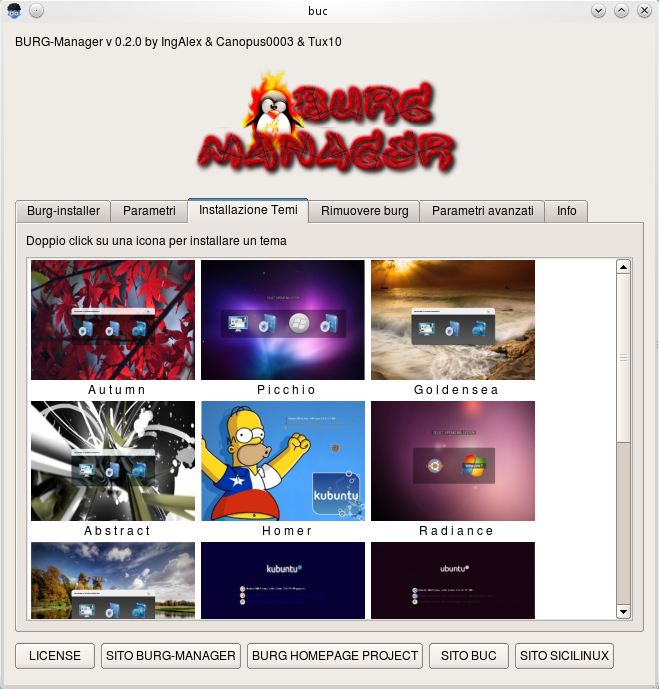
The relatively easy process of installing BURG has now been made even easy thanks to Ingalex and his ‘BURG Manager’ application - which lets you to do all of the following from one simple interface: -
- Install Burg, Burg-themes and a Burg emulator
- Set timeout
- Change theme
- Set the screen resolution
- Browse & install new BURG themes
- Remove Burg
- Restore Grub2
- Set the default operating system
Download
Easy one-click install .deb files can be found over on the projects home page @ this link.
Alternatively you can add the official repository for the application, thus ensuring you remain up-to-date with the latest fixes and features. To do this open a terminal and enter the following commands carefully and as root where needed.
- echo "deb http://www.sourceslist.eu/repo/ubuntu lucid main non-free" | sudo tee -a /etc/apt/sources.list
- wget http://www.sourceslist.eu/?download=public.key -O- | sudo apt-key add -
- sudo apt-get update && sudo apt-get install burg-manager
Once installed you will find the BURG Manager in the Application > System menu
Finally…
To finish off here is a pretty swish video of the application in action from the developers themselves: -


