

It's really hard to resist blogging about all of the wonderful wallpapers we get sent every day so here I am with in a moment of weakness with this dramatic drape by blauaraujo.
Showing posts with label wallpapers. Show all posts
Showing posts with label wallpapers. Show all posts

Snails, Dalmatians & plenty of grass: it's Ubuntu 10.10's new wallpapers (download)
The results of the Ubuntu Artwork selection process is over and 17 new photo wallpapers have been selected for inclusion in Ubuntu 10.10.


![Fern_by_aalex04[4]](https://blogger.googleusercontent.com/img/b/R29vZ2xl/AVvXsEgU9_AFvJ1ShfvpQA2mM6HfxcUcKn28EcEcWSrchVRMrvsrXnwp4idcYPdXFB_OgjVAp6CzbxsfflS808KFMkQeuBT345QGB2IfgoUbSdYwWdTcTgdlWXXTLrTgiKPnUtkIzczUiVJuVY94/s1600-h/Fern_by_aalex04%5B4%5D%5B2%5D.jpg "Fern_by_aalex04[4]")
![Mirada_Perduda_by_Marxicoli[3]](https://blogger.googleusercontent.com/img/b/R29vZ2xl/AVvXsEjW5QMxtc4RpS5AKb3vwgiVeuzTdRcNbZ_fXJ3yAUcO0Vcn8p88OE-RaqRVE-rkDUUg8Q_tqyctGquxzNMwDqze8scDvW3TIi6hVgWDoa0LuMRt0vmTFqcWu6FirnqjWLUXlVil15RcGAOx/s1600-h/Mirada_Perduda_by_Marxicoli%5B3%5D%5B2%5D.jpg "Mirada_Perduda_by_Marxicoli[3]")


![Bubbles_by_JanneM[4]](https://blogger.googleusercontent.com/img/b/R29vZ2xl/AVvXsEhsfto2ACSqI-RowqdMyaJhJr1YKQ8w37kea3LAhsxidmKJo3HFdebIvUtpV_iuWXHMEXm8cnfSj7A-oRzGkSODv4qzhsxSdWnzAtr-NzOK7OWIqmysf9wG96ACzi-7L9qU7Jc9e3-mYiXb/s1600-h/Bubbles_by_JanneM%5B4%5D%5B2%5D.jpg "Bubbles_by_JanneM[4]")
Download
Thanks to Zach
Continue reading
Ubuntu 10.10's new default wallpaper (for now at least)
It's evolution rather than revolution on the Ubuntu 10.10 default wallpaper front - but is the image below really the default wallpaper or will there yet be a surprise found waiting on the desktop at a later date?

Either way this is, for now at least, Ubuntu 10.10's new default wallpaper. Thoughts?
You can download this and the 17 other newly selected photo wallpapers for Ubuntu 10.10 here.
Either way this is, for now at least, Ubuntu 10.10's new default wallpaper. Thoughts?
You can download this and the 17 other newly selected photo wallpapers for Ubuntu 10.10 here.
Continue reading
WeatherPaper puts the weather outside on your desktop inside
GNOME users have long been left out in the cold when searching for a good looking & easily-themeable 'Weather Wallpaper' application. Over a year ago I ran down the Gnome-friendly alternatives to KDE's slick weather wallpaper plug-in and found, perhaps unsurprisingly, very slim pickings. A year on, is the forecast looking brighter? (Last weather-related pun, honest!)
WeatherPaper
Weatherpaper is a stylish, ever-changing and informative utility that sets your desktop wallpaper inside to an image conveying the weather outside.
WeatherPaper
Weatherpaper is a stylish, ever-changing and informative utility that sets your desktop wallpaper inside to an image conveying the weather outside.
 |
| A custom weatherpack I made for my desktop using photos from flickr |
WeatherPaper has many plus points: -
- It's fully themeable - create and package your own wallpaper set
- uses data from weather.com
- can display various information on an overlay
- Choose interval for checking forecast
- Set preferred units for temperature
Create a 'weatherpack'
If the default look doesn't do much for you (and admittedly it probably won't) then creating your own custom weather pack requires only two things: patience and plenty of weather-related imagery. There's an excellent guide on getting up & running over on the WeatherPaper wiki: -
If the default look doesn't do much for you (and admittedly it probably won't) then creating your own custom weather pack requires only two things: patience and plenty of weather-related imagery. There's an excellent guide on getting up & running over on the WeatherPaper wiki: -
Download & installation
Want it? Follow this quick step through to get weather-based wallpaper draped over your desktop: -


Want it? Follow this quick step through to get weather-based wallpaper draped over your desktop: -
- Download WeatherPaper here
- Extract the folder somewhere accessible
- Open a terminal, navigate to the extracted folder using 'cd 0.2.2-linux/'
- Now enter the following command to install: -
- sudo sh install.sh
- Head up to Applications > Accessories > WP Settings to enter your location & set you preferences before launching the app via Applications > Accessories > WeatherPaper
Finding your location
Although WeatherPaper refers to using 'yahoo' weather this is, in fact, powered by weather.com. To find your weather.com location code head over to weather.com, search for your location and then paste the corresponding part of the URL into the settings window.
Continue reading
This lush violet wallpaper is luxury for your desktop

It has penguins on it (for Linux, natch) which I'd love to see surplanted with some line-art Meerkats in-time for Ubuntu 10.10 (a la these ace Meerkat wallpapers by cldx) but get it whilst it's hot kiddies - it even comes in 3 languages.
Download
Continue reading
Want your Photo in Ubuntu 10.10? Deadline is this Friday!
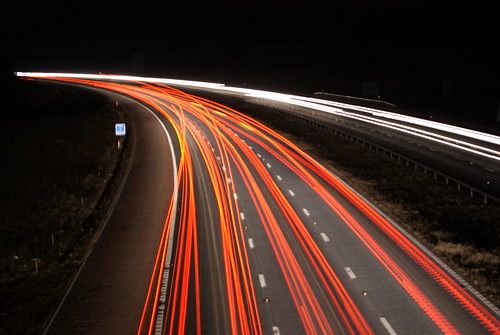
Users wishing to submit photographs for potential inclusion in Ubuntu 10.10 have just a few more days left to do so.
The contest, which takes place bi-annually via the Ubuntu Artwork Flickr group, will be closing for submission on Friday the 20th.
From this date on a shortlist of photos will be selected from which the final photo wallpapers that will be in the next Ubuntu release are chosen. Images must be supplied (or available) in 1920x1680 resolution or better and must be your own work.
So far
Whilst the worlds flora, as ever, makes up the bulk of photo submissions there are is a stronger diversity in subject matter this year (from what I've seen) than previously. Here are some picks to whet your proverbial palettes.


The contest, which takes place bi-annually via the Ubuntu Artwork Flickr group, will be closing for submission on Friday the 20th.
From this date on a shortlist of photos will be selected from which the final photo wallpapers that will be in the next Ubuntu release are chosen. Images must be supplied (or available) in 1920x1680 resolution or better and must be your own work.
So far
Whilst the worlds flora, as ever, makes up the bulk of photo submissions there are is a stronger diversity in subject matter this year (from what I've seen) than previously. Here are some picks to whet your proverbial palettes.
Continue reading
Periodic Table Wallpaper - a lot cooler than it sounds
 If your life has been lacking a well designed, slighty humorous but oh-so informative Peridoic Table wallpaper then say hello to this Nobel-ium (no really, that is the best pun I can do.) slice of pixel perfect.
As a man not-of science I'll freely admit that this wallpaper resembles nothing more than a set of knock-off Scrabble tiles arranged neatly on on my Mothers imitation-marble kitchen work-top, but for those in need of some geek-chic it's a neat - and educational - wallpaper.
Download (2560x1600)
I hope this post wasn't a B-oron! (groan)
Continue reading
DreamScene for Ubuntu? Ta very much.
Ever wanted to set video as your desktop wallpaper a la the quickly-ditched Windows DreamScene? With 'Video Wallpaper' it's easy.
By using Video Wallpaper you will be forfeiting the ability to use the 'desktop' as normal - no icons, files etc will show. Any drop shadows present on panels will also disappear. If you're tuff enuff to cope, here's how...
You will need: -
 |
| It actually moves. Honest. |
You will need: -
- shantz-xwinwrap (download here)
- zenity (already installed)
- mplayer (click here to install)
- the script (here)
And, not forgetting, a video to set as your wallpaper. I suggest browsing around on deviant.art using the term 'dreamscene' to get relevant results.
Once the above have been installed and you've moved the script to someone accessible (preferably into your Nautilus Scripts folder (Home folder > .gnome2 > nautilus-scripts) you're ready to set a video as your wallpaper. Right click/run the script and, in the dialogue that appears, select the video you wish to use. Click 'Ok' and it will be set.
 To kill a video just select the script again but when the selection dialogue appears click 'cancel'.
Performance
The script used around 32% of my dual core CPU which, compared to the real DreamScene from my Vista days, is nothing. I didn't feel much lag (if any) and whilst the appeal in a looping desktop wallpaper is lost on me I do know that they are popular with a great number of people. C'mon - the worst you can do is try it out and find it's not for you.
Continue reading
Download some OMG! Wallpapers!
I whipped up four OMG! wallpapers in three different resolutions for you hardcore fans to download and show the love for your favourite sources of open source news.
In the pack you'll find the following four wallpapers in 1920 x 1080, 1600 x 1200 and 1280 x 800.


In the pack you'll find the following four wallpapers in 1920 x 1080, 1600 x 1200 and 1280 x 800.


Download the .zip file here: http://www.mediafire.com/file/8e0aleqtareajcj/omg-wallpapers.zip
They're certainly not the best wallpapers in the world and I know there is some great talent out there - so, my challenge to you is: can you do better?
You can grab a high resolution version of the OMG! Ubuntu! logo here.
Continue reading
Download Every default Ubuntu wallpaper in one archive
anchorschmidt has made this slideshow video to refresh forgetful minds
The 66.3 MB .zip file contains all 13 default wallpapers from Ubuntu release past and present as well as most Fedora wallpapers from Fedora 5 onwards - so whether you’re a Fedorian or an Ubuntuite there’s plenty to see here.

Continue reading
9 Awesome lynx-themed wallpapers
Show your love for Ubuntu 10.04 with these awesome Lucid-inspired wallpapers by MadeInKobaia.
The wallpapers are available in many resolutions - including widescreen - so you’re sure to find the one you like looking awesome on your desktop.
Download
Continue reading
Daily 5: 5 Wallpapers That Aren't Flowers Or Things That Look Like Flowers When Turned Upside-Down
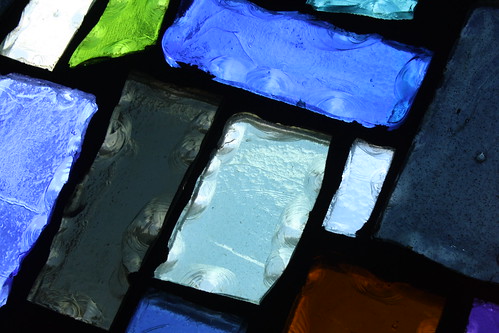
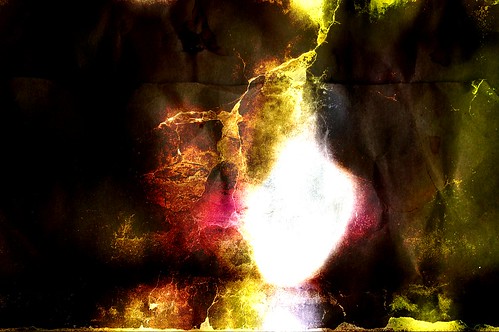
Last week Weather-Indicator project member Cullen shared his favourite five images from the Ubuntu Artwork Flickr Pool (where users can submit photos, a dozen or so of which will make it into the default installation of the next Ubuntu release). All but one of his was floral and the one that wasn’t look mechanically floral when viewed upside down.
To appease the number of people who complained at his choices he’s back with another 5 choice none of which are flowers. As always click on the image to go to the corresponding Flickr page where you can pick up super hi-res versions for diddely squat.


Continue reading
Daily 5: Five Wallpaper picks vying to make it into Ubuntu 10.10
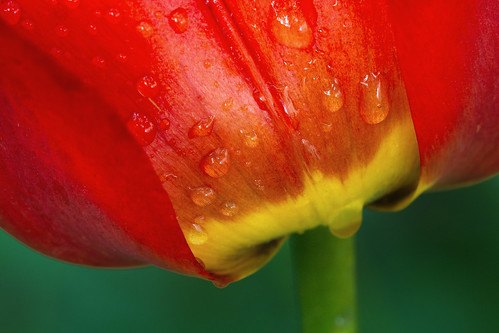
One of the great ‘new’ traditions during an Ubuntu development cycle is the open submission of photos competing to win a place in the next default install of Ubuntu.
The competition has a few more months left to go but Weather-Indicator projects’ Cullen has picked out his five favourite photos so far - and you don’t need to be Sherlock Holmes in order to spot a few recurring themes…




Contribute
If you’ve snapped a scene that you think would make a great desktop wallpaper be sure to add it to the Ubuntu Artwork Pool on Flickr.
Thanks to Cullen
Continue reading
Real-time sunlight wallpaper app gets a PPA, fixes
The awesome Real-time Sunlight Wallpaper application we mentioned last week is finally installable via a PPA.
The new PPA version brings several fixes and features along with the added benefit of allowing users to stay up-to-date with the application.
Change log: -
- --nodialog switch to start RSW with the main window
- Remove Style wallpaper to Scale
- -Close button on window doesn't exit the application, just hides the window
- Other minor tweaks

Install Realtime Sunlight Wallpaper PPA
- sudo add-apt-repository ppa:realtime.sunlight.wallpaper/rsw
- sudo apt-get update && sudo apt-get install sunlight
Don’t forget to visit the official Launchpad page @ launchpad.net/realtimesunlightwallpaper to file bug reports or to find out more on the app visit the new official website @ realtimesunlightwallpaper.weebly.com
Continue reading
light ubuntu wallpaper
You can never have too many wallpaper choices - as this wallpaper by Felipi attests!
Matching perfectly with the default Ubuntu Ambiance theme with aplomb the wallpaper nevertheless comes in a range of other colours so you’re sure to find the exact hue you like.
![Ubuntu_for_Humans[6]](https://blogger.googleusercontent.com/img/b/R29vZ2xl/AVvXsEhNS22sQslMYef_U858j1AgABuhO0dZWo0LotLncNefxgRDW_uKuC0l2qo2U2JKN9q6qCfC1MFyCi7c1yMTSqKIbauhqNVQfKLpm-4QYtM-1OWx5HbwUW6sqhpZmtb2birUu4bX0i4jotmJ/s1600-h/Ubuntu_for_Humans%5B6%5D%5B9%5D.png "Ubuntu_for_Humans[6]")
The wallpaper comes in 5 colours each sized at 2560x1600:-
- Blue
- Orange
- Green
- Yellow
- Black and White

Continue reading
Quirky Wallpaper: Real-time sunlight wallpaper
A few days back Benjamin posted an article on setting up a slick real-time Earth view wallpaper. In response to that Carles Sentis has sent us news of an awesome pet project of his which does all that that script did - and then some.
It's called ‘Realtime Sunlight Wallpaper’.
Features
![image[3]](https://blogger.googleusercontent.com/img/b/R29vZ2xl/AVvXsEjRKy3CJxBk7wCtkpP1yII7-9bchZh8xAZpGC1XJO8vJGXRwR9p8YHKhJApWKxab3W7BEeWv8NGzY416iLbpon1y2OpbhzKfzUc1cXrZ_aRsN2MeE_vVsSLXDTm7WVUf5sBzG8yoRGVi_xa/?imgmax=800 "image[3]")
It's called ‘Realtime Sunlight Wallpaper’.
Features
Realtime Sunlight Wallpaper (RSW from herein) provides several exclusive features n' functions above the script we posted last week.
Most notably: -
- 4 different 'world map' views
- 'Dawn to dusk' wallpaper
- Moon phase wallpaper
RSW also allows users to mark the application to auto-start login thus requiring you to do nothing but watch your wallpaper auto-update before your very eyes! No need to poke around adding commands to the Start-up Applications list or calling a CRON job.
To install it just extract the folder and then navigate to where you have extracted the folder downloaded the file:
- cd /path/to/sunlight-0.0.11
- make
- sudo make install
Launch RSW by pressing ALT+F2 in unison and typing:
RSW would really rock if it had a .deb installed. If anyone is interested in contributing/packaging one then contact the author via the official launchpad project page.
- sunlight-0.0.11
RSW would really rock if it had a .deb installed. If anyone is interested in contributing/packaging one then contact the author via the official launchpad project page.
Continue reading
Subscribe to:
Posts (Atom)


