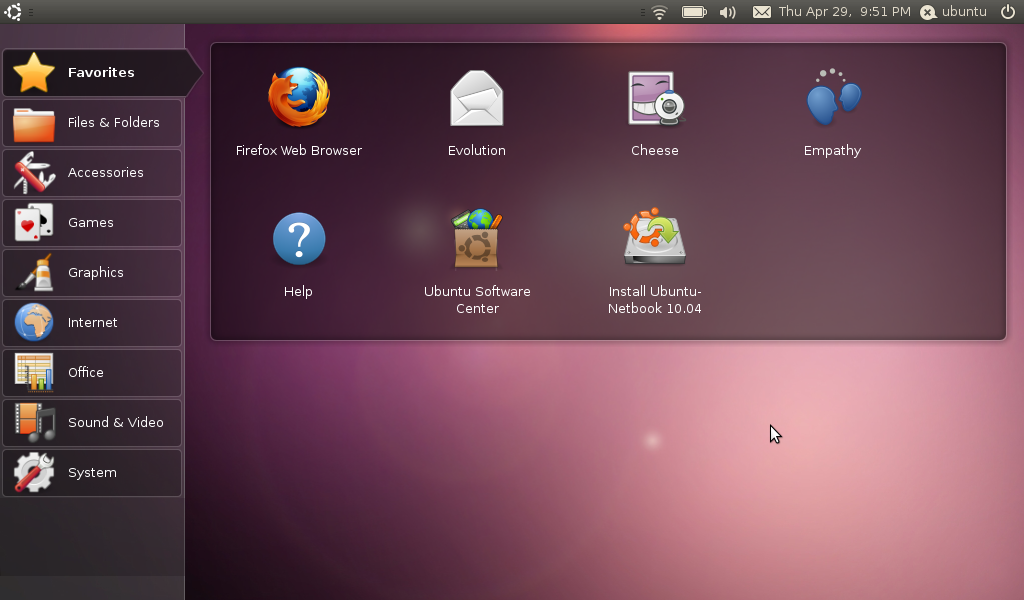
In case you've been hiding under a rock, or hang around people who exclusively use Mac hardware, then you've witnessed the explosion of the Netbook. Small, light, less then 10 inches, and with impressive levels of battery life, netbooks have gone from toy to everywhere in 2 years, and have now settled into an area somewhere between secondary computer and primary net device for many people. They're cheap, they're portable, they can very nearly be given as gifts and many schools, such as my own, have handed them out like candy.
The real trick, though, was to get the perfect balance of hardware and software so that they actually mattered. To get something so small with enough battery to make them worthwhile, you really have to hit a home run with the software. Many of the first generation, and some of the more clueless manufacturers still do this, simply shipped windows on the netbook, so what you get is a very slow, really small windows laptop. Even still, people have estimated 90% of netbooks still use XP. However, it is estimated that 32% of laptops shipped since November 2009 run customized Linux of some form, and Ubuntu Netbook Edition is one of the most used OS's available (Yes, those statistics are from Wikipedia).
UNE has already made great strides. Working off the model Moblin established in '07, UNE has been consistently doing something that has stagnated on the common Ubuntu desktop: Innovate. Something about the combination of the cheap computer, small screen, and tiny trackpad has given people the ability to release control of their desktop just enough for a complete change to take place, a change which has been steadily pushing its way to the common mix of Ubuntu over the last 2 years. Much of Ayatana's work has been under the label of 'Saving vertical screen space for netbook users' and much of what we will continue to see will fall under this header.
Unity
And we've seen it happen yet again.
Mark Shuttleworth's announcement of the new "
Unity" interface for UNE has shown something we should have noticed for months now. Ubuntu is working on the interface for Netbooks far more then for non-Netbooks. Partly, this is just the nature of the netbook. Anything done to improve the standard desktop will float downstream to the netbook interface eventually, but its more then that. The netbook is the testing ground, the place for new things to happen. The newness of the device means the newness of possibilities, and if I got one message from Mark's address, it was "Lets conquer this device." How many of the last few Ubuntu announcements been entirely Netbook oriented? Since Mark announced Maverick Meerkat, every announcement has either been entirely or at least half and half Netbook oriented. Its clear that this is important to them, and I think it should be made clear to Ubuntu users that this is the direction we are moving in: fast, User-data oriented, and internet focused.
Not only that, but the new Network Connections menu is UNE only, the recently announced global menu is UNE only, their new launcher... the new things are UNE oriented, almost in entirety, and the only love for the common desktop is the overlap between the two.
What does that mean for 10.10?
Well, first of all, I think theres something extremely telling although not mentioned directly in Marks announcement. In the
Official screenshots, Firefox is still the browser, but in
Mark's personal screenshots, we see Chromium. Don't be surprised to see Chromium become official sometime in the next year and a half, at least for the Netbook edition. Now, I didn't say expect it, I said don't be surprised. Don't misquote me. :D
Secondly, don't expect gnome-shell to find a permanent home any time soon. Unity has apparently been worked on for longer then gnome-shell, as Mark said on his blog. Why is this important? It means that Ubuntu has their own panel and their own launcher, which may well be based in gnome, but could very easily be brought up to snuff as a whole before development for current Gnome ceases. While gnome-shell will be apparently packaged as an option in Ubuntu, I think its more likely that we'll see a slightly altered version of the netbook panel and launcher far more likely.
Third, expect more of this. If you hate the me-menu, and the announcement today about Unity, and you demand more bug fixes instead of new menus... you're going to be disappointed. Theres going to just continue to be more announcements of new panels and new indicators and new this and new that. I personally get excited, but I know some of you guys hate it. Sorry.
Lastly, lets hear the (constructive) feedback. If you ask me, Ubuntu has become the best desktop experience available, and the only thing that Ubuntu lacks compared to Mac and PC is professional use applications and some usability. This Netbook stuff is the foundation for pure perfect beautiful usability on the Ubuntu desktop, and you, the user, needs to speak up about the things you want. Theres plenty of stuff that
I spend my time criticizing, but its by analyzing what is good and what is bad that leads to improvement. Lets speak up, and make 10.10 the best operating system it can be.
Share your thoughts on the new Netbook announcements in the comments!

 Also noticeable in recent updates are a refined set of 'hover' effects.

 “I'm a bit shocked it took so long, but it was definitely my bad (getting stuck on something I really shouldn't have!). Maximised windows should undecorate and their decorations should be restored when they are unmaximised. The window buttons have been updated to use the Ambience beta theme if it's installed.”


![Workspace 1_001[9]](https://blogger.googleusercontent.com/img/b/R29vZ2xl/AVvXsEirb_cQRA20cuKeG-Ehfak7Gj5_GqFPG1fDIorgg3bmnKFCmN7RvAA1ZIl3PnwyuxL6qJ99YScDCZ1Z3h4aF8L33lTPsdCdL0pcIYWmmpbAQBg9_xTbFh7V2TmOLCTaBgHAN6MgTEBDJT8V/s1600-h/Workspace%201_001%5B9%5D%5B4%5D.png "Workspace 1_001[9]")


 Like the Ubuntu Firefox start page the Unity search bar (what’s Unity? where have you been?!) uses a custom Google search results page free of, well, everything useful and loaded down with ads.